Altitude sickness check for Apple Watch
Go higher.Come back safe.
It knows when you reach altitude, checks you for altitude sickness in a minute from your wrist, and tells you whether to carry on, rest or head down.
 Free · iPhone and Apple Watch
Day 1 · 8:00 AM · Chengdu, 500 m
A road trip west on the G318, from the Sichuan plain toward Tibet.
2,500 m+
Cross 2,500 mand it lets you know.
No need to open the app. Rest first, and it reminds you to check in six hours later.

You've reached high altitude
Rest first. Do your first check-in in 6 hours.
Day 2 · Kangding → Litang
Over a 4,300 m pass,asleep in Litang by night.
2,812m
Kangding
3,954m
Litang
Above 3,000 m: at most +500 m a night
Day 3 · 8:00 AM · Litang, 3,954 m
Next morning,your head is splitting.
It's not the drive. You climbed too fast.
One-minute check-in
Headache?Check in from your wrist.
Rate four symptoms with the Digital Crown, answer one question about warning signs, add a blood oxygen reading from Apple Watch. Your answer comes straight back. Try it on the watch.
- 1Four symptomsHeadache, appetite, tiredness, dizziness. Turn the crown to rate each.
- 2Warning signsAny one of them takes you straight to the descent steps.
- 3Blood oxygenUses an Apple Watch reading from the last 30 minutes.
This is a demo. Nothing you pick is saved or sent. If you feel unwell, trust how you feel.
66latest heart rate
Headache
No headache
Turn the Crown to choose
Turn the crown, scroll, or press ↑ ↓
One clear answer
No score to decode.Just what to do next.
Every result is one sentence you can act on, with the evidence listed underneath: your symptoms on the Lake Louise scale and where your SpO₂ falls.
- Adapting well
Carry on
Carry on as planned. Don't overdo it.
- Mild altitude sickness
Rest
Don't go higher today. It reminds you to recheck in 6 hours.
- Warning sign
Head down
Go at least 300 m lower, now. Not alone.
When a warning sign shows up
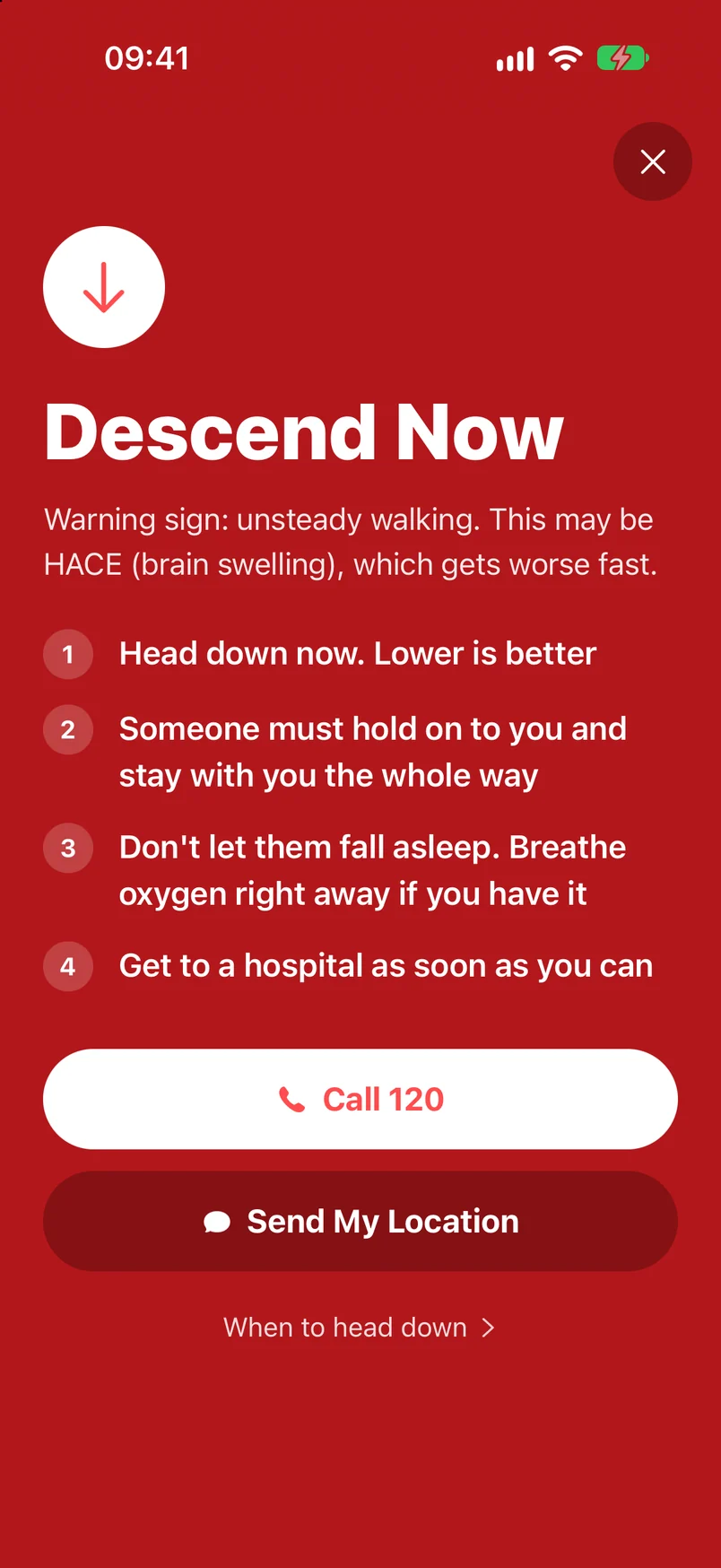
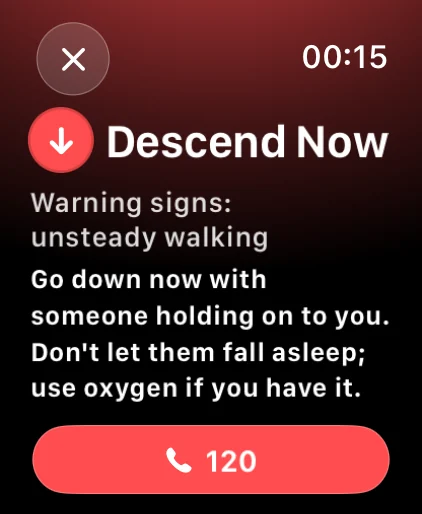
Descend now
Breathless at rest, pink frothy cough, unsteady walking, confusion: any one, and both your watch and iPhone switch to the descent steps.
- 1One tap to call for helpShows the local emergency number for the country you are in.
- 2Your location, written outA text to your emergency contact with the place, altitude and coordinates.
- 3Steps that fit the dangerFluid in the lungs: avoid exertion. Brain swelling: never go alone, don’t let them sleep.
It keeps watch
When to check again,it remembers for you.
Reminders are set from your result, so you never have to work out when to check again.
SpO₂ below 85%
It tells you the moment your blood oxygen drops too low.
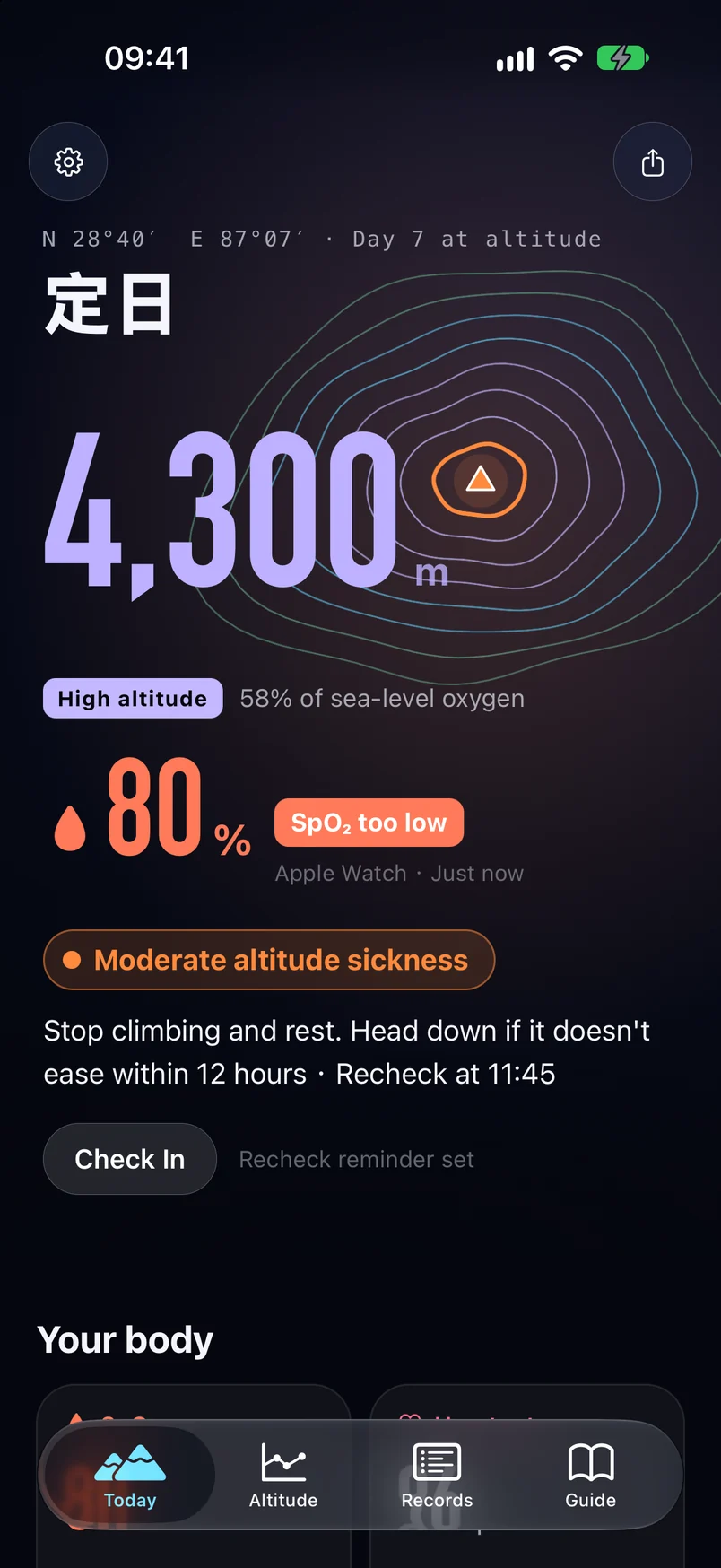
Recheck on time
Mild symptoms: 6 hours. Moderate: 4 hours. Low SpO₂: retest in an hour.
Morning and evening
A check-in when you wake up and another before bed.
On your wrist and Lock Screen
Watch face complications, the Smart Stack, and a Live Activity with your altitude and next check-in.
Before you go
Plan where you sleepbefore you leave.
Enter a start and a destination. Isoline marks the altitude of every town and pass along the way, then picks where to sleep so you climb no more than 500 m a night above 3,000 m.
Chengdu → Lhasa
1,981 km in total
Highest point
5,096m
Tongda La
Suggested nights
8
—
On that G318 trip, night two should have been Yajiang at 2,622 m, not Litang at 3,954 m. Routes and altitudes come from the common routes built into the app. In the app you can look up any two places.
Made it
Over the pass?Share the altitude.
Your Today screen is the poster: the place, the altitude and how much oxygen is in the air, with contour rings drawn for every 500 m. Health data stays off it unless you add it.
Pick a place
N 29°43′ E 98°00′
Tongda La
5,096m
High altitudeAir holds about 53% of the oxygen at sea level
Day 6 at altitudeAdapting well
Isoline · Let your body catch up, then go higher2026.10.06No sign-up · No account
Your data stays onyour iPhone and Apple Watch.
Health data never leaves
Read and worked out on your devices. Not uploaded, not in iCloud, not used for ads.
No account, no server
There is nowhere for your data to be stored except your own devices.
Your route stays yours
Location is not uploaded and your trip is not recorded.
Questions
- Price
- Free
- iPhone
- iOS 16.4 or later
- Apple Watch
- watchOS 11 or later
- SpO₂ readings
- Apple Watch Series 6 or later, or Apple Watch Ultra
- Languages
- English, Simplified Chinese
Is Isoline a medical device?
No. Results and readings are for reference only and can't replace a doctor. If you feel unwell, trust how you feel: rest, use oxygen if you can, and head down and get medical help when it is serious.
Do I need an Apple Watch?
You can answer the questions on iPhone, but a result needs a blood oxygen reading from Apple Watch taken in the last 30 minutes. Apple Watch SE can’t measure blood oxygen.
I don’t see a blood oxygen reading.
Open Blood Oxygen on your watch, rest your arm on a table with your wrist flat, and hold still for 15 seconds. Isoline picks up the reading through the Health app.
Why does it ask for “Always” location?
So it can notice when you reach high altitude and remind you to rest and check in, even when the app is closed. Your location never leaves your devices.
Where do the rules come from?
Symptoms are scored with the 2018 Lake Louise Acute Mountain Sickness Score. Advice on descending, oxygen and ascent rate follows the Wilderness Medical Society 2024 guidelines and the CDC Yellow Book. The full list is below.
How do I delete my data?
In Isoline, go to Settings → Delete All Data, or delete the app. Everything is stored on your devices.
Sources
- 1The 2018 Lake Louise Acute Mountain Sickness ScoreHigh Altitude Medicine & Biology, 2018
- 2Clinical Practice Guidelines for Acute Altitude Illness: 2024 UpdateWilderness Medical Society, 2024
- 3High-Altitude Travel and Altitude IllnessCDC Yellow Book
- 4Altitude illness prevention and treatment (Chinese)Chinese Center for Disease Control and Prevention, 2026
- 5Pulse Oximetry in the Assessment of Acclimatization to High AltitudeSensors, 2021
Go higher.Come back safe.
Install it before Tibet, Everest Base Camp or Kilimanjaro.
Free · Results are for reference only and are not a medical diagnosis